Grok vs ChatGPT for marketing: how Grok Bot and ChatGPT compare
When you compare Grok vs ChatGPT for marketing work, the real comparison is Grok Bot, xAI's agent with its own cloud computer, against ChatGPT with its Work agent. Both can run scheduled and event-triggered work and connect apps. ChatGPT organizes work in chats, projects and scheduled tasks starting at Plus $20 a month, while Grok Bot runs separate Bots with their own memory and routines starting at Premium $30 a month. The reliable way to choose is to run one real task in both.
ExtraHeads sells role templates for Grok Bot, so it has a commercial interest in Grok Bot. ExtraHeads is independent, not affiliated with xAI, X or OpenAI, and does not sell Grok Bot or ChatGPT access. The page sticks to features documented on official pages and does not rank writing quality.
Quick start
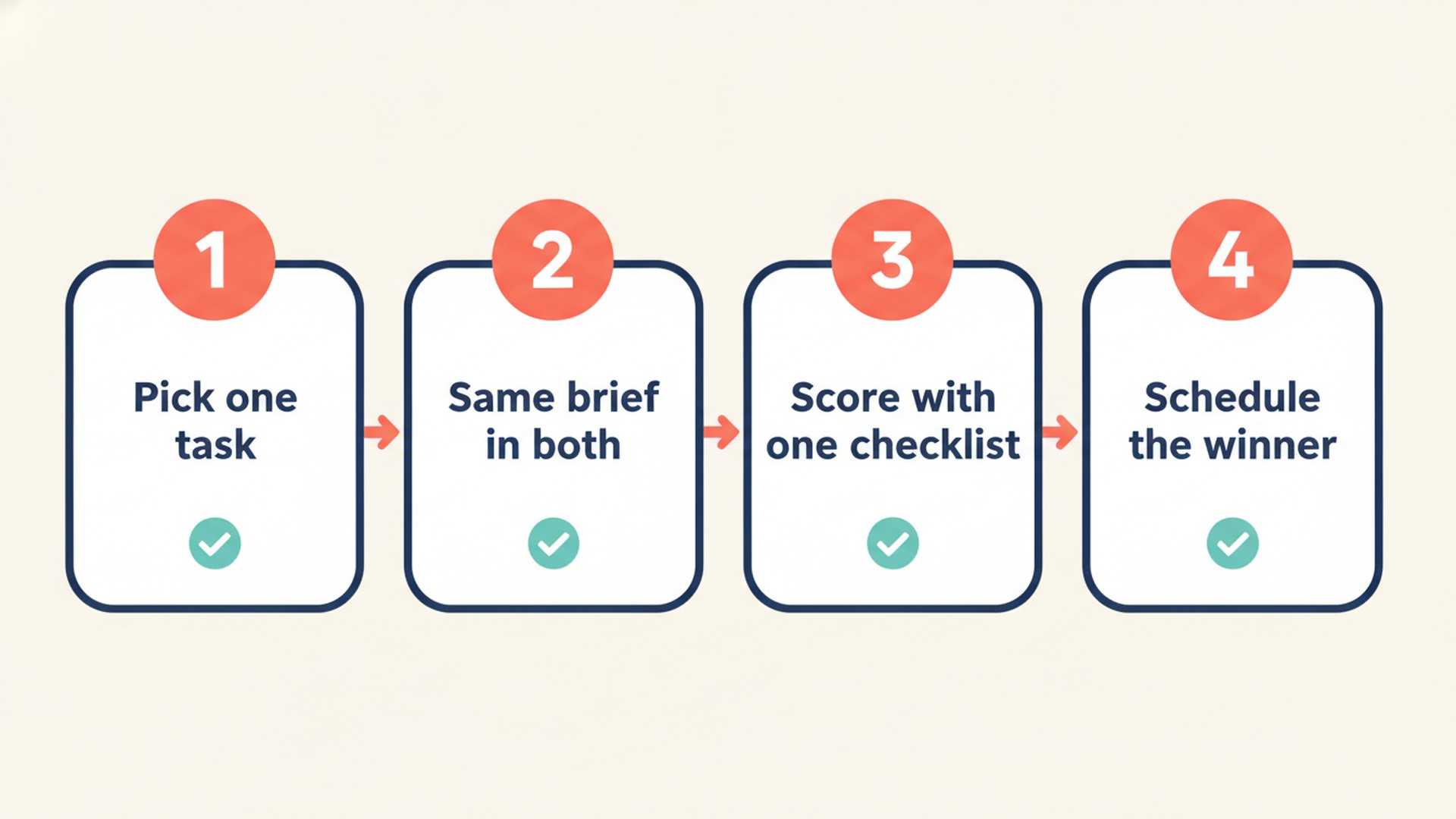
- Decide on one recurring marketing task to test.
- Check the feature table to see which agent handles your workflow.
- Check the pricing pages from your country for local costs.
- Run the same brief in both tools to compare their output.
- Schedule the winner to run weekly and check its first run.
What are you comparing when you compare Grok and ChatGPT for marketing?
Most comparisons of Grok and ChatGPT look at the chat apps. For marketing work you want to hand off and repeat, the products to compare are Grok Bot, a separate xAI product from the Grok chat app, and ChatGPT with Work. Grok Bot is an agent that has access to a real computer in the cloud. ChatGPT includes Chat for fast conversational help and Work for longer, multi-step tasks.
This page compares Grok Bot with ChatGPT including Work, using official documentation. We look at the agent features marketers use to automate routines, not the basic chat apps.
How do Grok Bot and ChatGPT compare on routines, apps and memory?
The table below lists documented features only, checked on 11 November 2026.
| What you need for marketing work | Grok Bot | ChatGPT |
|---|---|---|
| Agent for multi-step work | Yes, with a real cloud computer (Grok Bot docs). | Yes, in ChatGPT Work (Work docs). |
| Recurring work on a schedule | Up to 50 routines per Bot, schedules at least 5 minutes apart (Routines). | Yes: up to 3 active tasks on Free and Go, 5 on Plus, 15 on Pro; hourly schedules need a paid plan (Scheduled tasks). |
| Work triggered by events | A Slack message, a GitHub, Linear, Sentry or PagerDuty event, an email to the Bot's own address, or a webhook call (Routines). | Supported Gmail, Slack or GitHub activity, run in Work, on Plus or higher (not Free or Go) (Scheduled tasks). |
| Connected apps | Apps such as Gmail, Notion, Slack and Google Drive from Connect apps; a service's MCP server if it has no app (Computer and apps). | Apps such as Google Drive or Slack, connected in Settings > Plugins; availability depends on plan, region and workspace (Connectors). |
| Tools without a ready app | A browser on the cloud computer all your Bots share, including its sign-ins. | Work can use a browser or connected apps. |
| Memory | Each Bot has its own memory with your rules and a dated log of its work; your name and time zone are shared by all Bots; you review it by asking in chat (Bots). | Can draw on past chats, saved memories, custom instructions, files and connected apps, depending on plan and region; controls in Settings > Personalization > Memory (Memory FAQ). |
| Keeping context for one job | Keep one Bot per job with its own memory and skills. | Projects keep chats, files and instructions together: 25 files per project on Go and Plus, 40 on Pro. |
| Approvals before sending or publishing | Auto Review checks actions; you can add custom rules (How Grok Bot works). | Actions that send a message or change external data may need approval, and the task pauses until you review it. |
| Working from X posts | Tag @bot in a post or reply to assign a task, subject to region limits (Tag on X). | Not covered in the OpenAI pages we checked. |
The biggest practical difference for marketers is the unit of work. ChatGPT organizes work in chats, projects and tasks. Grok Bot organizes it in separate Bots, each with its own memory, skills and routines.
How much do Grok Bot and ChatGPT cost for marketing work?
| Plan | Monthly price | What matters for marketing |
|---|---|---|
| ChatGPT Plus | $20, billed monthly; no annual plan | Up to 5 active scheduled tasks; event-triggered tasks; Work on desktop, web and mobile. |
| ChatGPT Pro 100 / 200 / 500 | $100, $200 or $500, billed monthly only | Up to 15 active scheduled tasks; Pro 200 includes more usage than Pro 100, and Pro 500 the most. |
| ChatGPT Go | Local price on the pricing page | Up to 3 active scheduled tasks; no event-triggered tasks; ads tested in select regions (Go docs). |
| Grok Bot via The X Subscription Premium | $30 a month or $300 a year, before tax | Entry plan that includes Grok Bot; usage draws from a shared weekly pool . |
| Plus on The X Subscription | $8 a month | Does not include Grok Bot. |
Prices were checked on 11 November 2026 on the official pages and can change. X Subscription list prices exclude tax. ChatGPT pricing shows local currency depending on the country you visit from, so check the pricing page from where you live. For Super and Ultra, legacy Cursor plans and plan stacking, see the guide on getting Grok Bot through Cursor or separately.
Which marketing jobs suit Grok Bot, and which suit ChatGPT?
| Your situation | Lean toward | Why, from the docs |
|---|---|---|
| You want one assistant for ad hoc drafting and research inside chats and projects. | ChatGPT | Chat is built for fast conversational help, Work for longer multi-step deliverables, and projects keep the files and instructions for one topic together. |
| You want several standing roles (planner, SEO, social) each with its own memory and routines. | Grok Bot | You can set up multiple Bots, each with its own memory, skills and routines. |
| Your team lives in Slack and wants work started by Slack messages. | Both | Grok Bot routines have a Slack trigger; ChatGPT event-triggered tasks respond to new Slack channel messages on Plus or higher. |
| You start work from posts on X. | Grok Bot | You can tag @bot to hand a post to your Grok Bot (region limits apply). |
| You need event triggers from GitHub or Gmail on a small budget. | ChatGPT | ChatGPT Plus includes event-triggered tasks at $20 a month; Grok Bot needs Premium at $30 a month. |
| Your team already pays for ChatGPT Business or a Cursor team. | Stay where your admin and data rules are | ChatGPT Business data is not used for training by default, and Grok Bot Team Bots are shared within a Cursor team, so check your admin settings before moving work. |
Many marketers can use both tools effectively. The test below shows whether the second one earns its cost for your specific routines.
How do you test Grok Bot and ChatGPT on one real marketing task?
- Pick one recurring task you already do weekly, such as a competitor news digest, a content calendar draft or a weekly channel report.
- Prepare the exact same input files and write the same brief for both tools.
- Run the task once in ChatGPT (use Work for multi-step tasks) and once in Grok Bot.
- Score both results with the exact same checklist (see the next section).
- Ask each agent to list what it could not verify from your sources.
- Fix your brief once based on the errors, and rerun the task in both tools.
- Only then turn the better result into a scheduled task or routine and check its first scheduled run.
- Keep the test inside one billing month and cancel what you do not keep, noting that ChatGPT Plus and Pro bill monthly.
Which prompts can you use for the side-by-side test?
Paste the same prompts into both tools and attach the same files. The first prompt runs the task once to check the output quality, and the second prompt asks the tool to schedule it.
You are a marketing analyst preparing a weekly competitor digest.
Business and audience: [Describe your product and who buys it]
Competitors list: [Competitor A, Competitor B]
Channels to check: [Website blog, LinkedIn]
Date range: [Past 7 days]
Attached files: [file names and what each one is]

What to return:
1. A table of changes with source links for every claim.
2. Three content ideas for our own audience tied to a source in your table.
3. Open questions or missing data.

Rules:
- Separate documented facts from your own assumptions.
- Do not invent numbers, dates, or prices.
- List explicitly what you could not verify from the sources provided.
- Do not post or send anything; just return the draft to me for review.
Now turn this approved task into a weekly schedule.
Run this task every [Day of week] at [Time] in [Time zone].
Use the exact same inputs, competitors and channels as our first test.
If a source is missing or fails to load, report the failure instead of using old data.
Deliver the final report to me in [Tool, e.g., Slack or this chat].
Never send, publish or share this report with anyone else without my explicit approval.
How do you judge the results fairly?
- Every claim in the final output has a source link you can open.
- The numbers match the attached files you provided.
- The agent followed your requested format exactly.
- The agent clearly stated what it could not verify rather than guessing.
- You tracked how much you had to edit the draft before it was ready to use.
- The scheduled run actually used fresh inputs rather than repeating last week's data.
- You noted what the run cost in usage on your specific plan.
Write down these scores in a simple table of your own, and pick a tool based on your scores, not on this page.
What will neither Grok Bot nor ChatGPT do for you?
- They do not replace your SEO tools, analytics platform, CRM or ad platforms.
- They work entirely from the access, data and context you give them.
- Facts and prices still need a manual check against the original source.
- You must approve anything that is sent, published or paid for.
- Their memory is not a source of truth; for changing numbers, you must ask the agent to look them up again.
Where does the ExtraHeads CMO fit if you choose Grok Bot?
ExtraHeads sells ready AI specialist templates for Grok Bot, with role instructions, skills and routines, so it has a commercial interest in Grok Bot. ExtraHeads is independent, not affiliated with xAI, X or OpenAI, and does not sell Grok Bot or ChatGPT access. The templates are added to your own Grok Bot account and do not run in ChatGPT. If ChatGPT wins your test, this part is not for you.
The Chief Marketing Officer role takes on the intake for your product, 30 and 90 day goals, budget preference, existing channels and analytics. It ranks initiatives with an ICE table (impact, confidence, ease), outlines unit-economics formulas like CPL and CAC from your own numbers, and writes briefs for other specialist roles. You can view a sample result to see the output format.
You still review and implement the work. You approve priorities and budgets, hand briefs to your people or other roles, launch campaigns, and supply real numbers. The Chief Marketing Officer is $19, or $99 for all 22 roles, paid once. For ideas on which roles to add next, see our marketing team guide. Grok Bot access itself comes with an X Subscription plan or an existing Cursor plan, not from ExtraHeads; the signup guide shows the steps.
Frequently asked questions
Is Grok Bot the same as the Grok chat app?
No. Grok Bot is xAI's agent product with access to a real cloud computer, memory and routines. This page compares Grok Bot, not the Grok chat app, with ChatGPT.
Is ChatGPT Plus enough for scheduled marketing tasks?
For a few routines, often yes. ChatGPT Plus at $20 a month allows up to 5 active scheduled tasks and eligible event-triggered tasks from Gmail, Slack or GitHub; Pro allows up to 15 active tasks.
Which plan includes Grok Bot?
Grok Bot is included in the Premium, Super and Ultra plans of The X Subscription. Premium costs $30 a month or $300 a year. The $8 Plus plan does not include Grok Bot.
Can I use ExtraHeads templates in ChatGPT?
No. ExtraHeads sells role instructions, skills and routines made for Grok Bot and added to your own Grok Bot account. They are not ChatGPT projects or custom GPTs.
Does either tool post to social media without approval?
Set it up so neither does. In ChatGPT, actions that send a message or change external data may require approval, and the task pauses until you review it. In Grok Bot, Auto Review checks actions, and a Custom Rule set to Ask first, such as one for sending an email, always stops a matching action.